Tags
Everything hooks into the sea through CollectionService tags. Add them from the panel's Tags section (select something, press Tag selection), from the Tag Editor, or from a script. Attributes on the tagged instance tune each one. The tag names can be renamed under Tags in the settings, or by double-clicking a tag's title in the panel.
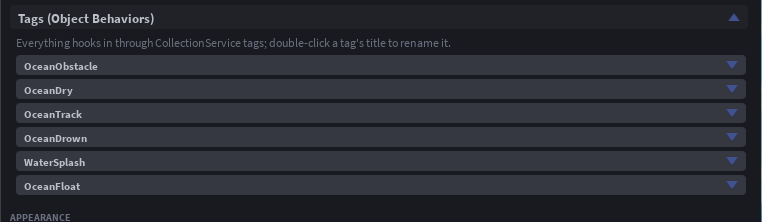
| Tag | On | What happens | Attributes |
|---|---|---|---|
OceanFloat | an unanchored BasePart | It floats (Buoyancy addon). Several tagged parts in one welded assembly float together. | OceanBuoyancy lift multiplier (1), OceanDrag drag multiplier (1) |
OceanObstacle | a BasePart or Model | The sea calms against it: fully calmed out to OceanShore studs beyond its footprint, easing back to full waves over the same distance again. Floats and swimmers feel it too. | OceanShore studs (40), OceanCalmness 0 to 1 (1 = flat, 0.5 = half height) |
OceanDry | a BasePart or Model | No water inside its box: where the box crosses the water line, the water is cut out of it at the wall, following it every frame as it moves; the underwater tint stays off inside, characters do not swim and water events treat it as air. Submarine interiors, underwater rooms, diving bells. | none |
OceanTrack | anything with a position | Water events and GetWaterState for it, without floating it. | none |
OceanZone | a BasePart or Model | The sea inside it is its own: any setting set as an attribute on the zone overrides the module's value there. Weather settings blend across the rim; buoyancy settings blend per assembly. | any setting name, OceanBlend rim width in studs (35% of the radius) |
WaterSplash | anything | Splashes when it hits the water (WaterSplash addon). | SplashSoundId, SplashVolume, SplashDistance |
OceanDrown | a Model with a Humanoid | An NPC that drowns like a player (Drowning addon). | none |
Obstacles in practice
- An island: tag the island model. The beach is calm, the swell returns a shore-width out.
- A harbour: tag the breakwater, not the water. Inside stays flat while the sea outside rolls.
- A pier on legs: tag the deck with
OceanCalmness0.3 so waves pass under it, only softened.
Obstacles are re-read twice a second, so a moving ship tagged as an obstacle drags its calm patch with it.
Dry regions in practice
Tag the interior box of a submarine. Its hull, tagged OceanFloat in the same model, still floats, because a dry box belonging to the same model or welded assembly does not cancel its own lift; cargo dropped inside does not float. A camera inside sees no tint, and a character inside walks.
Where a dry box crosses the water line, the water inside it goes out to its walls and down under its bottom, and the water just outside meets the wall at the water line. Boxes that touch or overlap are cut as one shape. For a clean cut:
- Keep each box at least three mesh cells wide (
CellSizetimes the quality's scale: 10 studs on Regular, 8 on Realistic). A narrower box leaves slivers of water inside. - Keep the walls just inside the hull, so the cut is hidden behind it. For a ship, one box over the straight middle of the hull, as wide as the hull at the water line, beats a staircase of small boxes following the bow and stern.
- Put the bottom just above the keel. The water under the box runs there, so a bottom below the hull shows a pit from underwater.
- Far from the camera, where the mesh is coarse, the water is not cut.
Zones in practice
Add the Zones addon and press + New zone: it makes a tagged part, links it to a preset and fills the attributes for you. Without the addon, tag any part and set attributes by hand: WaveHeight = 0.2 on a zone part gives a calm patch; ShallowColor and DeepColor give it its own colour.