Plugin guide
The widget follows the Studio theme and has everything needed to record without writing code.
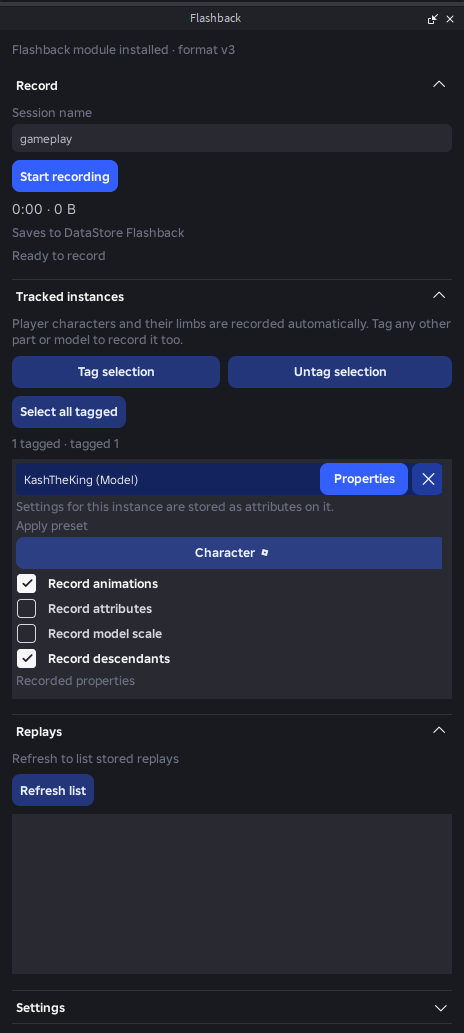
Header
Shows whether the Flashback module is installed. Click the text to select it in the Explorer, or the X to uninstall it.
Install module
Copies Flashback into ReplicatedStorage, tags it FlashbackModule, and adds a FlashbackStudio Script to ServerScriptService. You can move the module anywhere under ReplicatedStorage, ServerStorage or ServerScriptService; the plugin and the server script find it by tag.
The script serves a Studio-only RemoteFunction so the plugin can record play tests from the client view. It does nothing outside Studio.
Record
The big button starts and stops a session. Elapsed time and estimated size update live, and the replay saves on stop. Existing session names are never overwritten without an explicit Overwrite click.
Recording in a play test happens on the server and captures gameplay. Recording in edit mode captures whatever you move by hand.
Tracked instances
Tag selection and Untag selection add or remove the current Explorer selection. Player characters and their limbs are always recorded. Select all tagged selects everything that is tagged.
Press Properties on a tagged instance to choose what is recorded for it: apply a preset (such as Character), or toggle Record animations, Record attributes, Record model scale and Record descendants. These choices are stored as attributes on the instance itself, and the X untags it.
Settings
Session name, storage, tick rate, keyframe interval and which properties to capture. Settings persist across Studio runs and can be saved as named presets.
Storage is one of:
- DataStore, with an optional name suffix to keep environments apart. Needs Studio API access.
- HTTP server, see Storage.
- This computer: the replay is base64-encoded into the plugin's settings file. Keep it to short sessions.
Replays
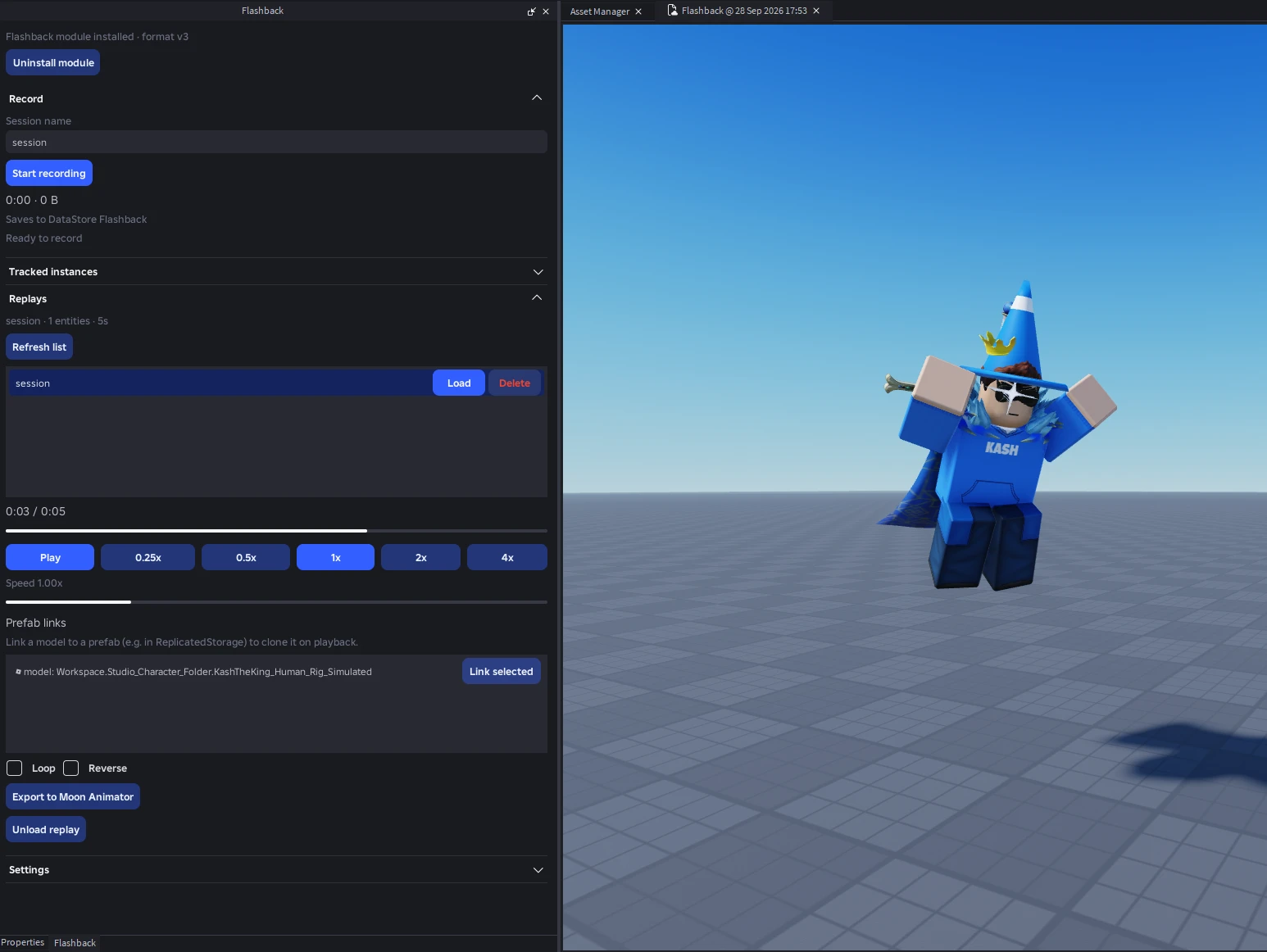
Refresh list shows the stored sessions, each with Load and Delete. Loading one plays it back right in the viewport, with:
- a scrubber with the current time, Play/Pause, and speed presets from 0.25x to 4x (or drag the speed slider);
- Loop and Reverse;
- Prefab links: select a model (for example in ReplicatedStorage) and press Link selected to have playback clone it instead of rebuilding it from the recording;
- Export to Moon Animator, shown when Moon Animator is loaded; see Moon Animator;
- Unload replay to remove the playback proxies.